-
 Continue reading →: Exploring Apple Intelligence Writing Tools in iOS 18.1
Hey folks! iOS 18.1 dropped on Monday, and guess what? All iPhone 16 owners, as well as 15 Pros, get to see the first glimpse of Apple Intelligence features. (Newer iPads and Macs also have Apple Intelligence, by the way – any iPad with A17 Pro or M1 and later;…
-
 Continue reading →: Must-Try iOS 18 Features for Every iPhone User
iOS 18 is packed with exciting new features, and some of the best are the quick and easy tools that you can start using right away. Whether it’s the super convenient currency converter, the revamped Control Center, or handy options like message scheduling, these features are designed to make your…
-
 Continue reading →: How iOS 18’s Satellite Texting Features Can Save Lives
This new feature, known as iOS 18’s Satellite texting, has only been available for a few weeks, but it has already proven very helpful, and probably saved lives for those stranded without power or cellular service in western North Carolina and other areas after Hurricane Helene. I have read many…
-
 Continue reading →: Customize Your iPhone/iPad Home Screen in iOS 18
Customizing your iPhone and iPad screens is easier than ever in iOS 18 and iPad OS 18. Apple has packed these updates with so many cool features that allow you to get creative and make your screens uniquely yours. From fun wallpapers to interactive widgets, there’s something here for everyone…
-
 Continue reading →: How to Prepare for iOS 18 on your iPhone: A Step-by-Step Guide
With the arrival of iOS 18 on Monday, now is the time to get your iPhone ready for the upgrade. Preparing your device in advance can help ensure a smooth transition to the new operating system. That said, you might want to wait a few days, or longer, before you…
-
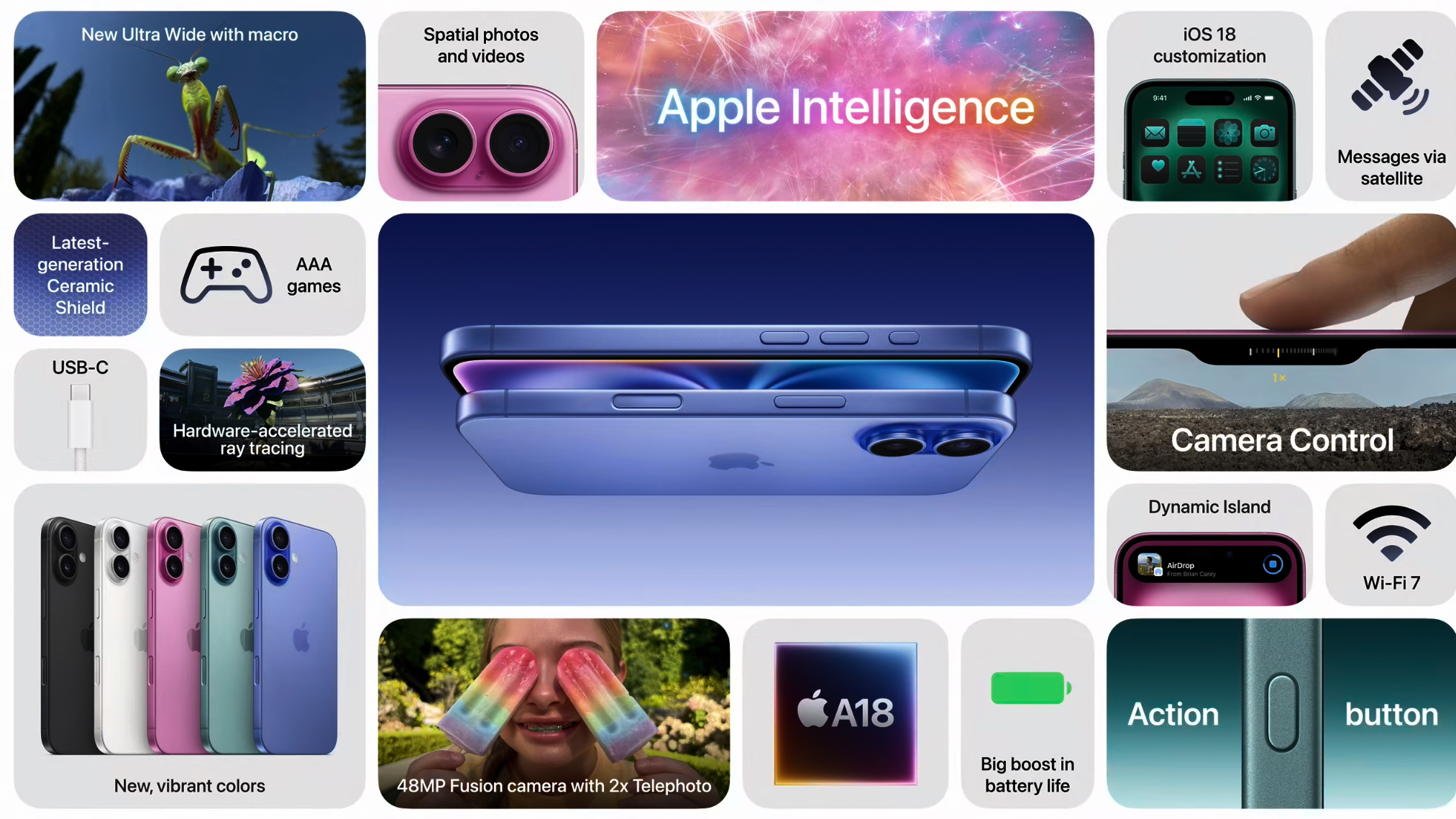 Continue reading →: The iPhone 16 and 16 Pro Are Here: What’s New and What’s Cool
Apple has officially announced the iPhone 16 and 16 Pro, and if you’ve been holding off on upgrading, now might be the time to get excited. This year’s lineup brings some impressive features, refined designs, and a few new tricks that make these phones stand out, especially if you’re coming…
-
 Continue reading →: How to Use the New Passwords App in iOS 18: A Complete Guide
When you update your iPhone to iOS 18, the new Passwords app might be one of the first things to check out. If you’ve been juggling multiple passwords or relying on “123456” for way too long, this app is about to become your new best friend. But don’t worry, I’ll…
-
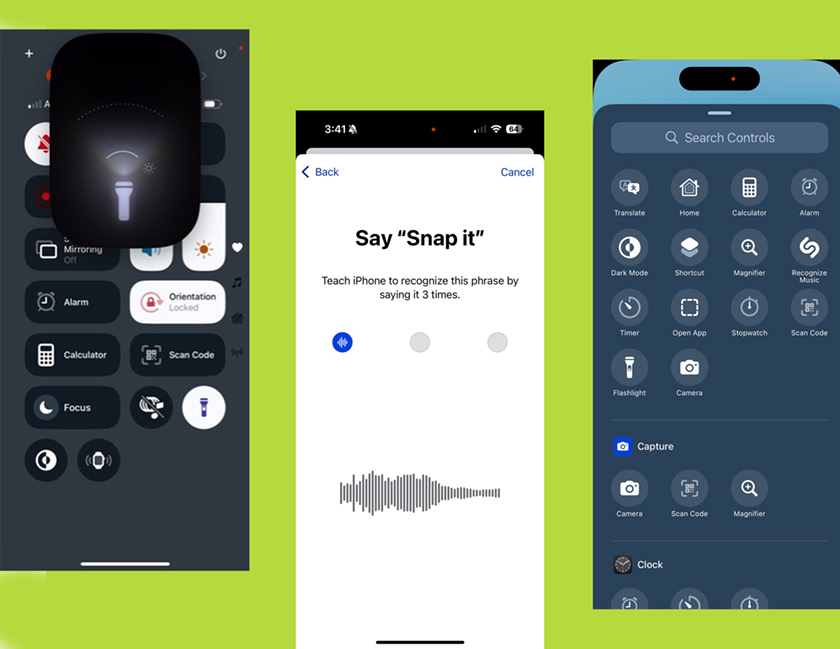 Continue reading →: A few quick iOS 18 favorites – Custom Lock Screen Controls and New Vocal Shortcuts!
Here’s a quick rundown of some of my favorite features from iOS 18. I downloaded the public beta about three weeks ago and have been having a blast testing out all the new stuff. Here are a few highlights. These will be super easy to use once iOS 18 is…
-
 Continue reading →: The Ultimate Guide to Taking Screenshots: Tips and Tricks on the iPad
Screenshots are an incredibly handy feature on the iPad, allowing you to capture exactly what’s on the screen in an instant. When it comes to taking screenshots, there are various tips and tricks you might find useful. In this blog, I’ll walk you through everything you need to know about…
-
 Continue reading →: Customize Your Phone Lock Screen with Your Name and Contact Info
Ever left your phone somewhere? It’s super frustrating and sometimes even scary. Find My is a great app for locating your phone., but wouldn’t it be awesome if your Lock Screen had your name and a contact number for whoever finds it? I’m here to show you how to set…
Hello,
I’m Cindy

Hey there, folks, I’m Cindy, and I have to confess, I’m totally smitten with Apple products – they’re like my guilty pleasure! My previous blog was this quirky mix of my passions for travel, photography, and tech. So, I recently dusted off my travel blog, thinking I’d keep the tech talk to a minimum. But then, lo and behold, the chatter about iOS 18 and Apple Intelligence got me all revved up. That’s why I’ve set my sights on launching a wacky website tailor-made for baby boomers and retirees, showing them how to rock their Apple gadgets like never before. It’s about time I share my ideas and get everyone up to speed.
Let’s connect
Join the fun!
Stay updated with my latest tutorials and ideas by joining our newsletter.